
HOW TO PLAY
Follow these simple guides to set up your adventure on any device.
ROM Patching
GBA / GBC / NDS Games
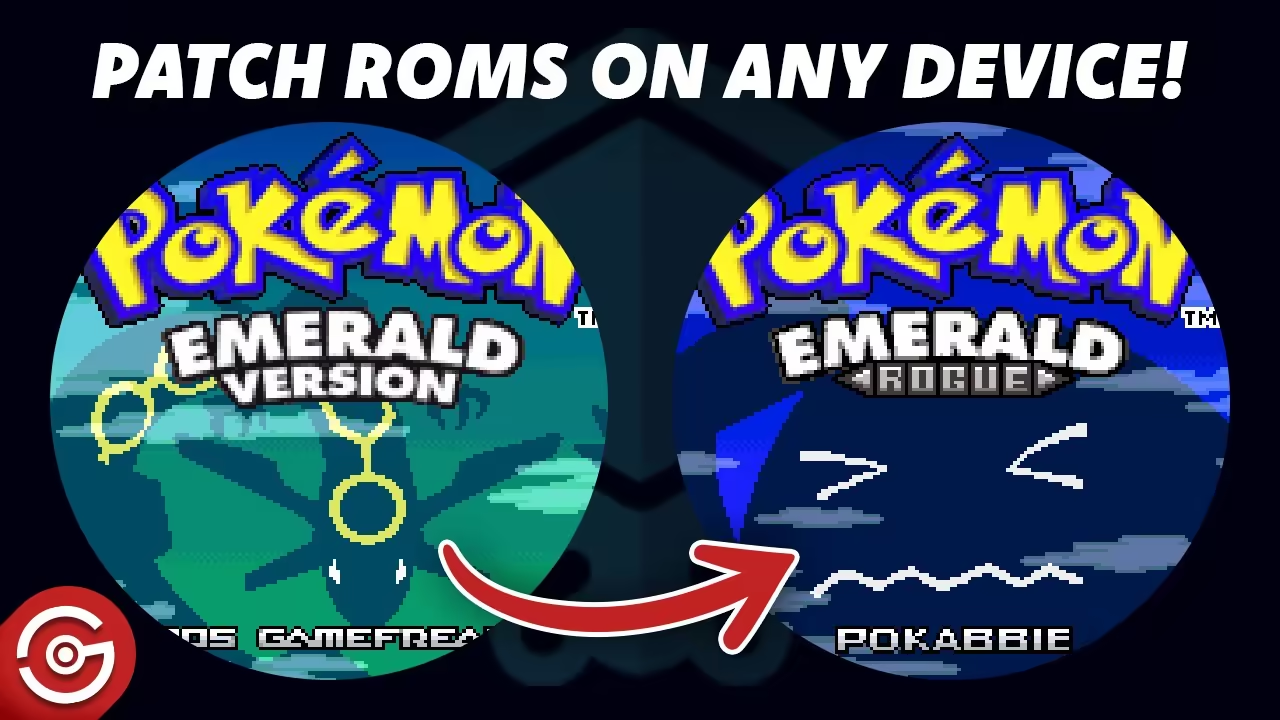
Watch this tutorial to patch your ROM on PC or Android
To play a GBA, GBC, or NDS ROM hack you need a base ROM and a patch file (.ips / .ups / .bps). Apply the patch to the ROM using a patching tool, then open the result in an emulator.
Get your legal copy of the base ROM (we don't provide ROMs due to Nintendo policy).
Download the patch file from the game's post page on this site.
Apply the patch using one of the tools below, then play in an emulator.
Patching Tools
Which ROM Do I Need?
How to find the correct base ROM
Check the YouTube Description
Every game post links to a YouTube video. I always list which ROM you need in the video description. Look under the video info for something like the screenshot below:
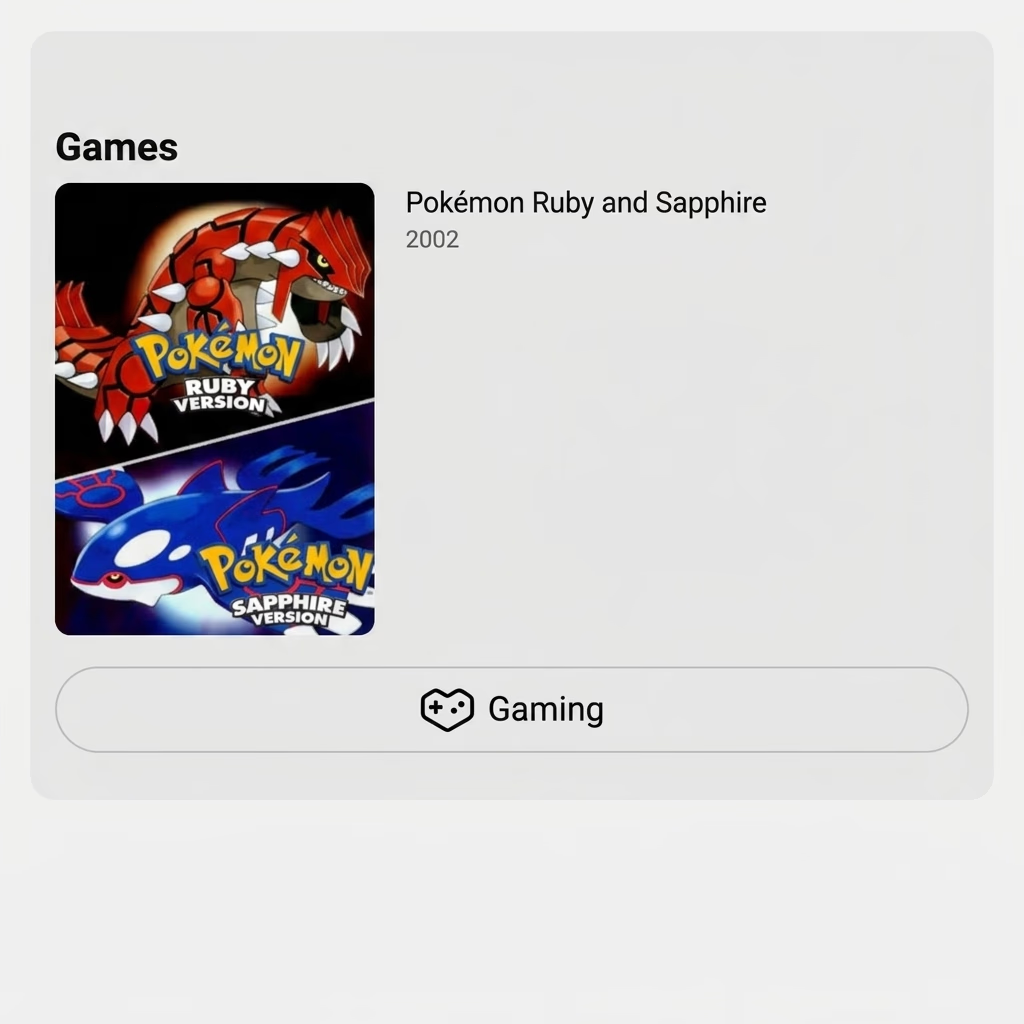
Look for "Games" in the YouTube description. It shows which base ROM the hack is built on.
This is the quickest way to find out which ROM you need.
ROM Patcher Auto-Verification
On the ROM Patcher website, after selecting both files it will tell you right away if the ROM is correct:
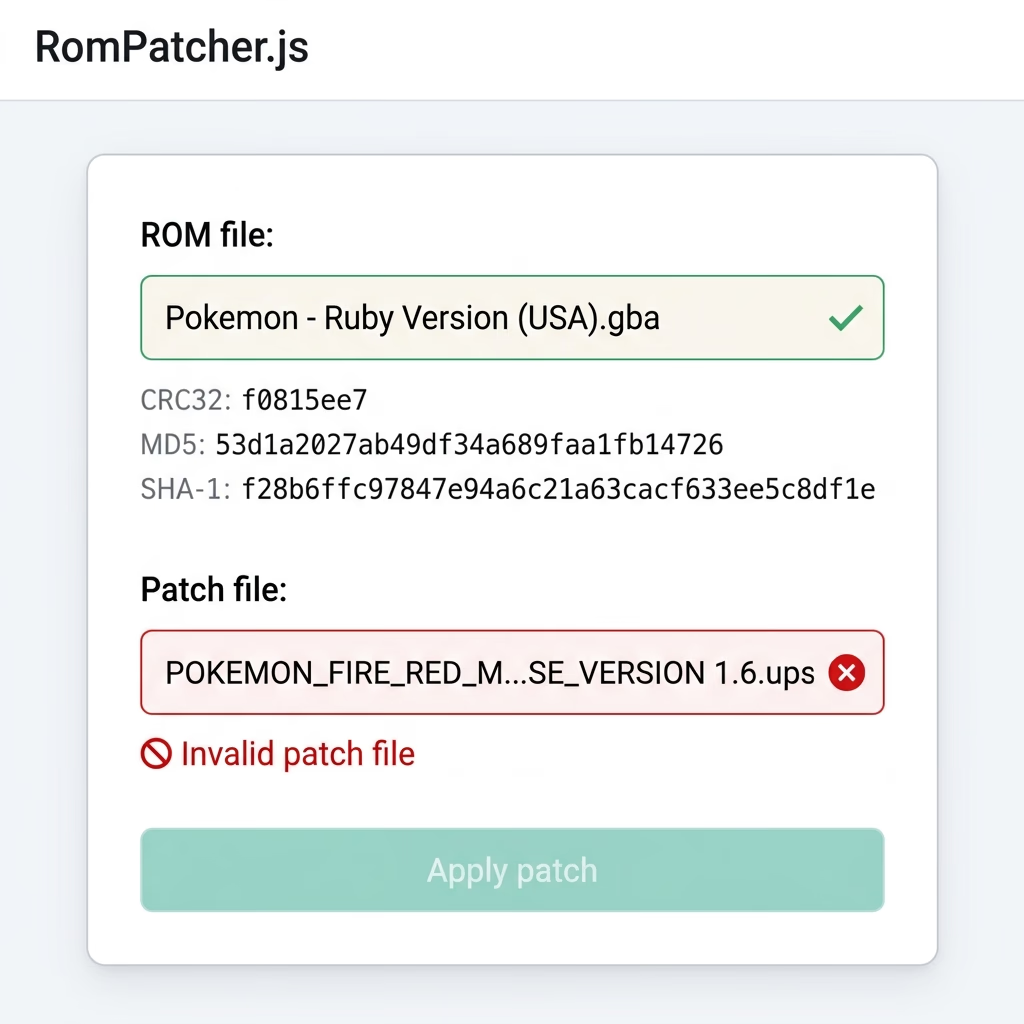
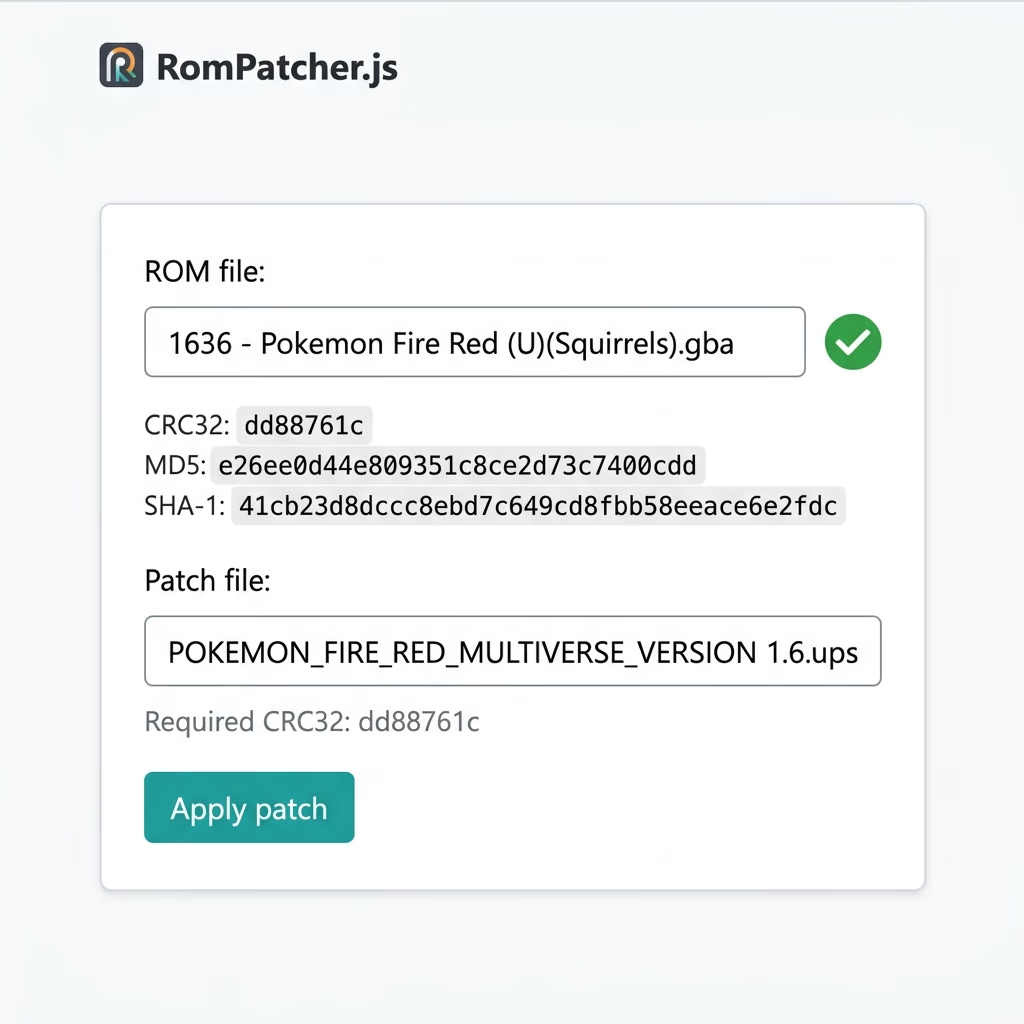
This check only works with .bps or .ups patches. .ips files don't support hash verification, so double-check your ROM manually for those.
In very rare cases (~1%) a mismatched ROM might still run, but 99% of the time it will crash.
DM Me Directly
I can't publicly share the exact ROM version name to avoid copyright issues with the official games, but if you DM me, I'll tell you exactly which one you need and even help you patch it.
Troubleshooting
Patched correctly but the game still crashes? It's most likely your emulator. Check out our FAQ page for recommended emulators on each platform, or refer to the recommended emulators section on each game post.
Avoid MyBoy. It's outdated and causes crashes. See our FAQ guide for top Android emulators.
Check our FAQ page for tested PC emulators to ensure best compatibility.
If nothing works, DM me on any social. I'll help you troubleshoot.
RPGXP Games
Windows & Mobile (JoiPlay & Kirin) Setup


Android users can experience RPGXP fan games using either JoiPlay or Kirin Emulator. Download the game files, extract them to your phone, and map the executable in your chosen app. Kirin often provides smoother performance for demanding games, while JoiPlay offers wider overall compatibility. Check out our FAQ page to get links for both emulators.
Kirin Emulator
Best for performance-heavy RPGXP games. Offers optimized frame rates and smoother execution on modern Android devices.
JoiPlay App
Established emulator app supporting RPG Maker XP/VX/VA/MV/MZ, Ren'Py, and HTML games with broad plugin compatibility.
Compatibility Notice
Please note that not all games will work perfectly on mobile. Games like Pokémon Fire Ash may experience black screen issues or performance drops. In such cases, we advise testing both Kirin and JoiPlay, joining the author's Discord, or commenting on their official thread for technical help.
Contact the developer for game-specific issues
Gohan's Tips is a fan-made community site and is not affiliated, associated, authorized, endorsed by, or in any way officially connected with Nintendo Co., Ltd., The Pokémon Company, or any of their subsidiaries or affiliates.